Add reusable blocks, HTML, shortcodes, advertisements, and custom content to different theme locations using WordPress Widget Areas.
Appearance → Widgets.
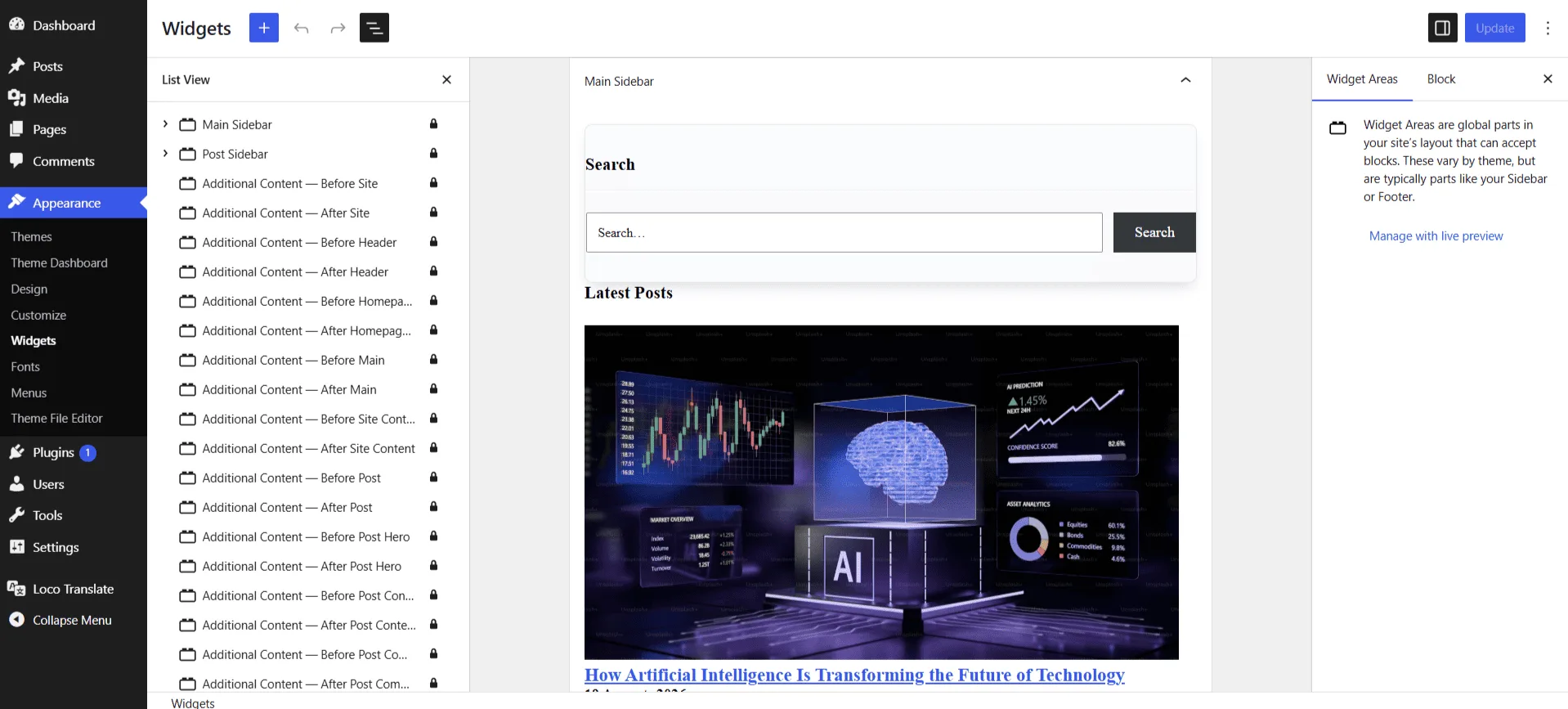
Go to Appearance → Widgets.
- Select an Additional Content widget area.
- Add a Block, HTML, Shortcode, Image, or Text widget.
- Save changes.
- The content will automatically appear in the selected theme location.
Global locations
- Before / After Site — Outside the complete site wrapper.
- Before / After Header — Immediately around the site header.
- Before / After Main and Site Content — Around the main layout and content wrapper.
- Before / After Footer — Immediately around the footer.
Template-specific locations
- Homepage — Adds content before or after homepage hero, main content, and page wrapper.
- Post — Adds content around single post layouts including hero, content, metadata, and comments.
- Page — Adds content around static page layouts.
- Archive — Adds content around archive templates such as categories, tags, and search pages.
Advertising
- You can insert advertisement codes such as Google AdSense, banners, or custom HTML using the available Additional Content widget areas.
Note
Only add trusted code. Incorrect scripts or third-party resources may affect website layout, security, and performance.